xshell开启ssh端口转发,通过公网机器访问内网机器
一、开启ssh转发 配置1:[root@ecs ~]#vi /etc/ssh/sshd_config修改内容:AllowTcpForwarding yes
一、开启ssh转发
配置1:
[root@ecs ~]#vi /etc/ssh/sshd_config修改内容:
AllowTcpForwarding yes
GatewayPorts yes生效:
[root@ecs ~]#/etc/rc.d/init.d/sshd restart配置2:
[root@ecs ~]vi /etc/sysctl.conf修改内容:
net.ipv4.ip_forward = 1生效:
[root@ecs ~]sudo sysctl -p 或 /sbin/sysctl -e -p /etc/sysctl.conf
二、配置公网服务器代理
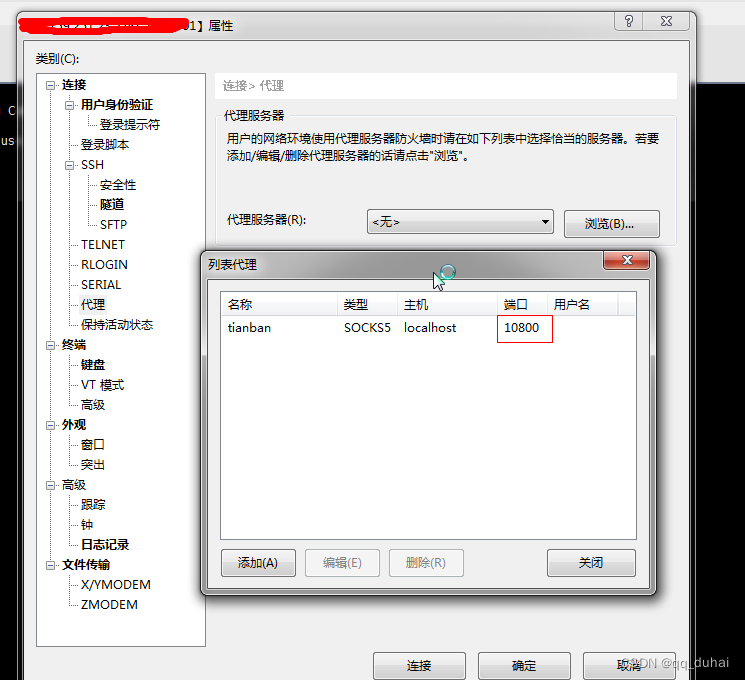
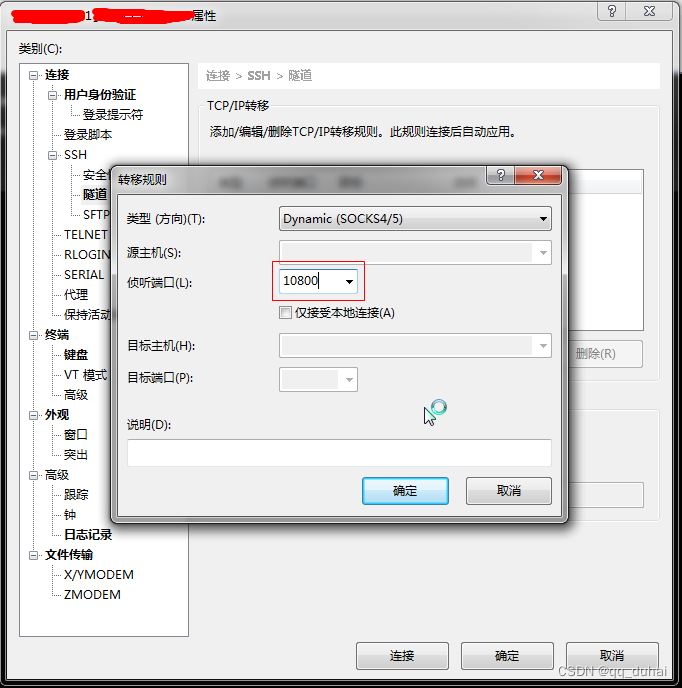
三、配置内网服务器
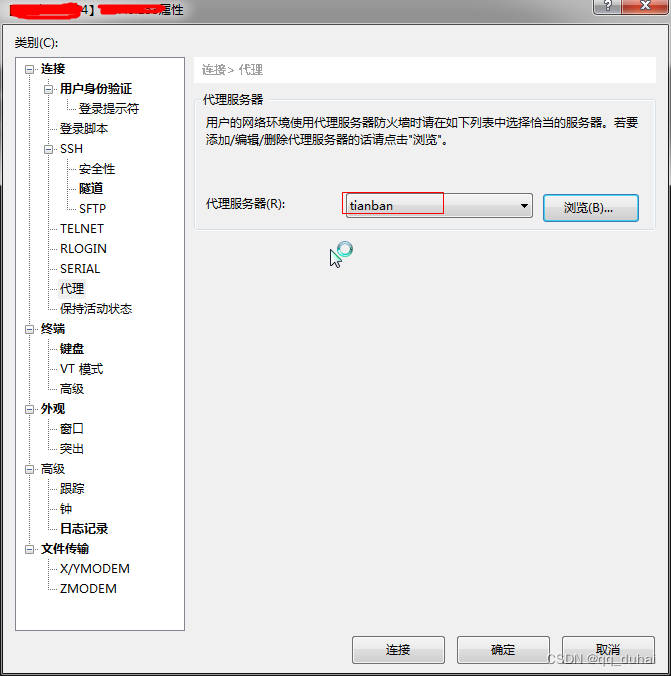
四、结果

五、开启内网服务器隧道
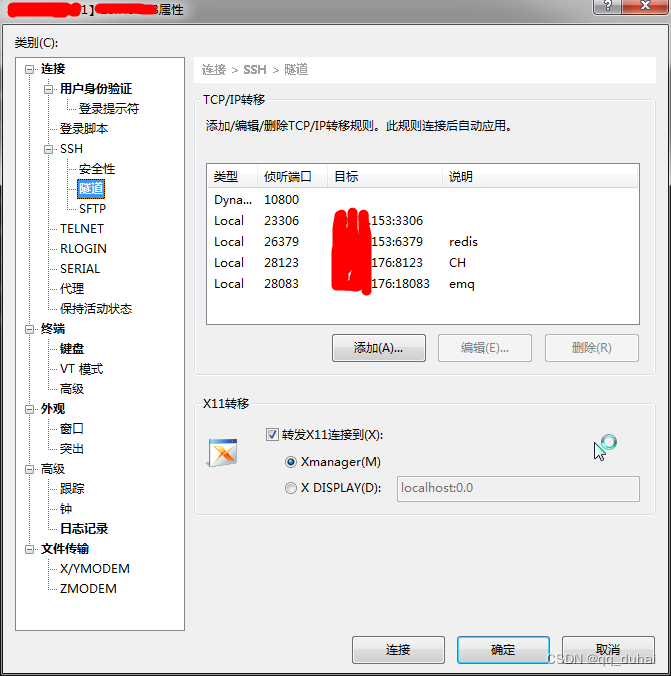
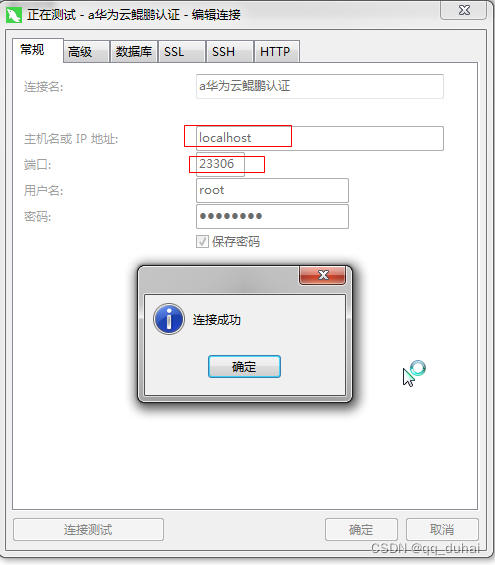
六、外面电脑访问内网电脑服务
版权声明
本文来自互联网用户投稿,文章观点仅代表作者本人,不代表本站立场。本站仅提供信息存储空间服务,不拥有所有权,不承担相关法律责任。如若转载,请注明出处。如若内容有涉嫌抄袭侵权/违法违规/事实不符,请点击 举报 进行投诉反馈!
