
调用扫描二维码界面,如图
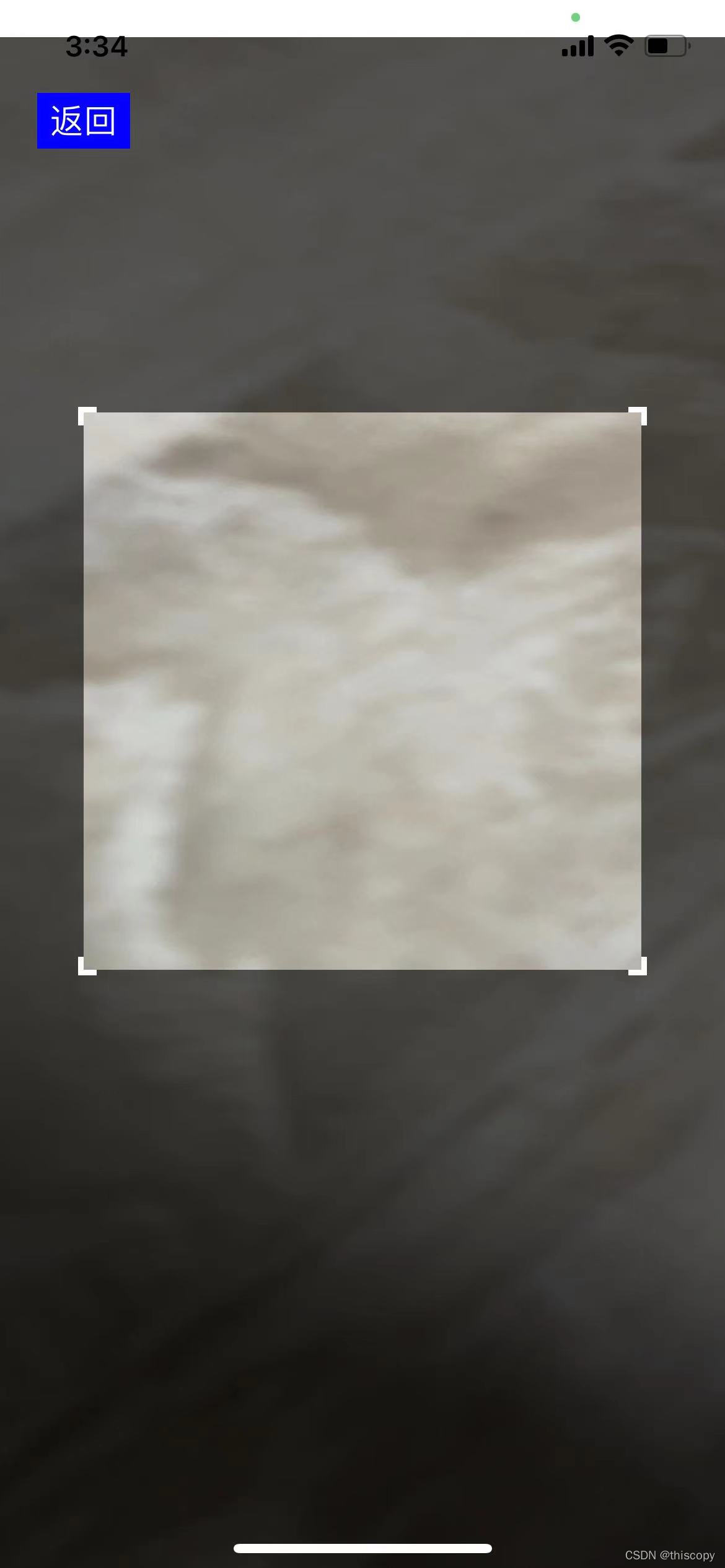
二维码扫描界面代码 ScanController.swift
//
//  ScanController.swift
//  GaoPei
//
//  Created by iscopy on 2020/6/16.
//  Copyright © 2020 . All rights reserved.
//import UIKit
import AVFoundation
//重命名一个闭包
typealias sendScan = (_ string : String,_ type : String) -> Void
class ScanController: UIViewController, AVCaptureMetadataOutputObjectsDelegate {var session:AVCaptureSession!var screenWidth : CGFloat!var screenHeight:CGFloat!//创建一个闭包属性var sendScans : sendScan?//属性传值var type : String? = niloverride func viewDidLoad() {super.viewDidLoad()screenWidth = self.view.bounds.widthscreenHeight = self.view.bounds.heightsetView()setCamera()}//设置除了扫描区以外的视图//半径let radius:Float = 150//偏移let deviation:Float = 50//边框let frames:Float = 3//边框长度let frameLong:Float = 10func setView(){let topTime = UIView(frame: CGRect(x: 0, y: 0, width: screenWidth, height: 20))topTime.backgroundColor = UIColor.whiteself.view.addSubview(topTime)//框框let colorOuterFrame:UIColor = UIColor(red: 0, green: 0, blue: 0, alpha: 0.6)let leftView = UIView(frame: CGRect(x: 0, y: 20, width: screenWidth/2-CGFloat(self.radius), height: screenHeight))leftView.backgroundColor = colorOuterFrameself.view.addSubview(leftView)let rightView = UIView(frame: CGRect(x: screenWidth/2+CGFloat(self.radius), y: 20, width: screenWidth/2-CGFloat(self.radius), height: screenHeight))rightView.backgroundColor = colorOuterFrameself.view.addSubview(rightView)let topView = UIView(frame: CGRect(x: screenWidth/2-CGFloat(self.radius), y: 20, width: CGFloat(self.radius)*2, height: screenHeight/2 - CGFloat(self.radius) - CGFloat(self.deviation) - 20))topView.backgroundColor = colorOuterFrameself.view.addSubview(topView)let bottomView = UIView(frame: CGRect(x: screenWidth/2-CGFloat(self.radius), y: screenHeight/2 + CGFloat(self.radius) - CGFloat(self.deviation), width: CGFloat(self.radius)*2, height: screenHeight/2-CGFloat(self.radius) + CGFloat(self.deviation)))bottomView.backgroundColor = colorOuterFrameself.view.addSubview(bottomView)//边框let colorFrame:UIColor = UIColor(red: 240, green: 248, blue: 255, alpha: 1)//左上let leftTopLeftx = screenWidth/2 - CGFloat(self.radius)let leftTopLefty = screenHeight/2 - CGFloat(self.radius) - CGFloat(self.deviation) - CGFloat(self.frames)let leftTopLeft = UIView(frame: CGRect(x: leftTopLeftx, y: leftTopLefty, width:  CGFloat(self.frameLong) - CGFloat(self.frames), height:  CGFloat(self.frames)))leftTopLeft.backgroundColor = colorFrameself.view.addSubview(leftTopLeft)let leftTopTopx = screenWidth/2 - CGFloat(self.radius) - CGFloat(self.frames)let leftTopTopy = screenHeight/2 - CGFloat(self.radius) - CGFloat(self.deviation) - CGFloat(self.frames)let leftTopTop = UIView(frame: CGRect(x: leftTopTopx, y: leftTopTopy, width:  CGFloat(self.frames), height:  CGFloat(self.frameLong)))leftTopTop.backgroundColor = colorFrameself.view.addSubview(leftTopTop)//右上let rightTopRightx = screenWidth/2 + CGFloat(self.radius)let rightTopRighty = screenHeight/2 - CGFloat(self.radius) - CGFloat(self.deviation)let rightTopRight = UIView(frame: CGRect(x: rightTopRightx, y: rightTopRighty, width:   CGFloat(self.frames), height:  CGFloat(self.frameLong) - CGFloat(self.frames)))rightTopRight.backgroundColor = colorFrameself.view.addSubview(rightTopRight)let rightTopTopx = screenWidth/2 + CGFloat(self.radius) - CGFloat(self.frameLong) + CGFloat(self.frames)let rightTopTopy = screenHeight/2 - CGFloat(self.radius) - CGFloat(self.deviation) - CGFloat(self.frames)let rightTopTop = UIView(frame: CGRect(x: rightTopTopx,y: rightTopTopy,width:  CGFloat(self.frameLong),height:  CGFloat(self.frames)))rightTopTop.backgroundColor = colorFrameself.view.addSubview(rightTopTop)//左下let leftBottomLeftx = screenWidth/2 - CGFloat(self.radius) - CGFloat(self.frames)let leftBottomLefty1 = screenHeight/2 + CGFloat(self.radius) - CGFloat(self.deviation)let leftBottomLefty = leftBottomLefty1 + CGFloat(self.frames) - CGFloat(self.frameLong)let leftBottomLeft = UIView(frame: CGRect(x: leftBottomLeftx, y: leftBottomLefty, width:  CGFloat(self.frames), height:  CGFloat(self.frameLong)))leftBottomLeft.backgroundColor = colorFrameself.view.addSubview(leftBottomLeft)let leftBottomBottomx = screenWidth/2 - CGFloat(self.radius)let leftBottomBottomy = screenHeight/2 + CGFloat(self.radius) - CGFloat(self.deviation)let leftBottomBottom = UIView(frame: CGRect(x: leftBottomBottomx, y: leftBottomBottomy, width:  CGFloat(self.frameLong) - CGFloat(self.frames), height:  CGFloat(self.frames)))leftBottomBottom.backgroundColor = colorFrameself.view.addSubview(leftBottomBottom)//右下let rightBottomRightx = screenWidth/2 + CGFloat(self.radius)let rightBottomRighty1 = screenHeight/2 + CGFloat(self.radius)let rightBottomRighty = rightBottomRighty1 - CGFloat(self.deviation) - CGFloat(self.frameLong) + CGFloat(self.frames)let rightBottomRight = UIView(frame: CGRect(x: rightBottomRightx, y: rightBottomRighty, width:  CGFloat(self.frames), height:  CGFloat(self.frameLong)))rightBottomRight.backgroundColor = colorFrameself.view.addSubview(rightBottomRight)let rightBottomBottomx = screenWidth/2 + CGFloat(self.radius) - CGFloat(self.frameLong) + CGFloat(self.frames)let rightBottomBottomy = screenHeight/2 + CGFloat(self.radius) - CGFloat(self.deviation)let rightBottomBottom = UIView(frame: CGRect(x: rightBottomBottomx, y: rightBottomBottomy, width:  CGFloat(self.frameLong) - CGFloat(self.frames), height:  CGFloat(self.frames)))rightBottomBottom.backgroundColor = colorFrameself.view.addSubview(rightBottomBottom)// button  点击无参数let button = UIButton(frame: CGRect(x: 20, y: 50, width: 50, height: 30))button.backgroundColor = UIColor.bluebutton.setTitle("返回", for: UIControl.State.normal)button.addTarget(self, action: #selector(ScanController.buttonTap), for: UIControl.Event.touchUpInside)self.view.addSubview(button)}//selector 其实是 Objective-C runtime 的概念@objc func buttonTap() {print("buttonTap")//self.navigationController?.popViewController(animated: true)self.dismiss(animated: true, completion:nil)}//设置相机func setCamera(){//获取摄像设备guard let device = AVCaptureDevice.default(for: AVMediaType.video) else {return}do {//创建输入流let input =  try AVCaptureDeviceInput(device: device)//创建输出流let output = AVCaptureMetadataOutput()//设置会话session = AVCaptureSession()//连接输入输出if session.canAddInput(input){session.addInput(input)}if session.canAddOutput(output){session.addOutput(output)//设置输出流代理,从接收端收到的所有元数据都会被传送到delegate方法,所有delegate方法均在queue中执行output.setMetadataObjectsDelegate(self, queue: DispatchQueue.main)//设置扫描二维码类型output.metadataObjectTypes = [ AVMetadataObject.ObjectType.qr,AVMetadataObject.ObjectType.ean13,AVMetadataObject.ObjectType.ean8, AVMetadataObject.ObjectType.code128,AVMetadataObject.ObjectType.code39,AVMetadataObject.ObjectType.code93]//扫描区域//rectOfInterest 属性中x和y互换,width和height互换。//output.rectOfInterest = CGRect(x: CGFloat(self.radius)/screenHeight, y: (screenWidth/2-CGFloat(self.radius))/screenWidth, width: (CGFloat(self.radius) + CGFloat(self.deviation))/screenHeight, height: (CGFloat(self.radius) + CGFloat(self.deviation))/screenWidth)output.rectOfInterest = CGRect(x: (screenHeight/2 - CGFloat(self.radius) - CGFloat(self.deviation))/screenHeight,y: (screenWidth/2 - CGFloat(self.radius))/screenWidth,width: CGFloat(self.radius)*2/screenHeight,height: CGFloat(self.radius)*2/screenWidth)}//捕捉图层let previewLayer = AVCaptureVideoPreviewLayer(session: session)previewLayer.videoGravity = .resizeAspectFillpreviewLayer.frame = self.view.layer.boundsself.view.layer.insertSublayer(previewLayer, at: 0)//持续对焦if device.isFocusModeSupported(.continuousAutoFocus){try  input.device.lockForConfiguration()input.device.focusMode = .continuousAutoFocusinput.device.unlockForConfiguration()}session.startRunning()} catch  {}}//扫描完成的代理func metadataOutput(_ output: AVCaptureMetadataOutput, didOutput metadataObjects: [AVMetadataObject], from connection: AVCaptureConnection) {session?.stopRunning()if let metadataObject = metadataObjects.first {let readableObject = metadataObject as! AVMetadataMachineReadableCodeObjectlet str = readableObject.stringValue!//self.navigationController?.popViewController(animated: true)self.dismiss(animated: true, completion:nil)//将值附在闭包上,传到First页面self.sendScans!(self.intercepts(str), type ?? "0000")}}//MARK:- 截取func intercepts(_ code:String) -> String {var codes = codeif codes.contains("http"){if codes.contains("code="){let jie = codes.count - Strings.positionOf(code: codes, sub: "code=", backwards:true) - 5codes = String(codes.suffix(jie))}else if codes.contains("c="){let jie = codes.count - Strings.positionOf(code: codes, sub: "c=", backwards:true) - 2codes = String(codes.suffix(jie))}else{if codes.contains("c?"){let jie = codes.count - Strings.positionOf(code: codes, sub: "c?", backwards:true) - 2codes = String(codes.suffix(jie))}}}return codes}}
调用 ScanController.swift 获取扫码数据
let scan = ScanController()//将传过来的值 赋给labelscan.sendScans = { (strings : String, type : String) -> Void in//print("\(strings)\(type)")self.listDataAdd(code: strings)}scan.type = "scan"scan.modalPresentationStyle = .fullScreenself.present(scan, animated: true, completion: nil)