
原因:git 没有添加ssh密钥
解决方法:
1.输入设置用户名和邮箱的命令:
$ git config --global user.name "fangfang"
$ git config --global user.email "123456789@qq.com"
2.然后系统会自动在.ssh文件夹(一般在c盘)下生成两个文件,id_rsa和id_rsa.pub,用记事本打开id_rsa.pub
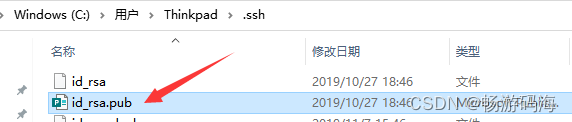
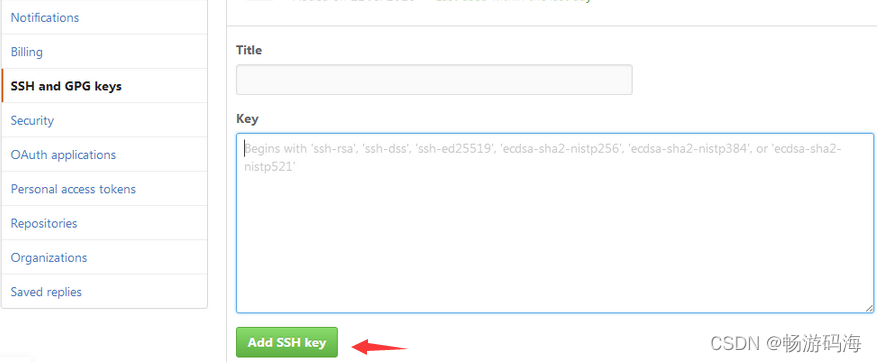
3.把里面的内容全选复制,依照图一、图二、图三、图四依次找到new SSH Key按钮,点击按钮,把复制的内容粘贴进去,点击add ssh key即可
图一

图二
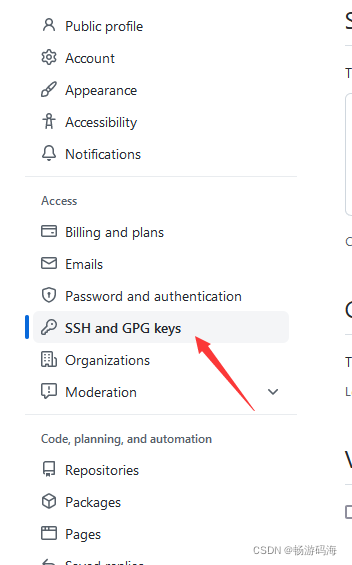
图三

图四
5.回到git bash 输入命令ssh -T git@github.com ,运行后在输入yes,回车,就ok了